內嵌標楷體(ref)
<head>
<link rel="stylesheet" type="text/css" href="https://fonts.googleapis.com/earlyaccess/cwtexkai.css">
<style>
.kai{
font-family: "cwTeXKai", "標楷體",sans-serif;
}
</head>
匯入套用
外部的 CSS 樣式也可以被匯入進 HTML 文件。匯入的做法為利用 @import 這個指令。@import 的語法為:
<style type="text/css">@import url(https://fonts.googleapis.com/earlyaccess/cwtexkai.css);</style>
@import 指令最初的用意,是為了能夠針對不同的瀏覽器而運用不同的樣式。
不過,現在已經沒有這個必要。現在用 @import 的目的,最常是要加入多個 CSS 樣式。
當多個 CSS 樣式被 @import 的方式加入,而不同 CSS 樣式互相有衝突時,後被加入的 CSS 樣式有優先的順位
<head>
<style type="text/css">
@import url(https://fonts.googleapis.com/earlyaccess/cwtexkai.css);
.kai{ font-family: "cwTeXKai", sans-serif; }
</style>
</head>
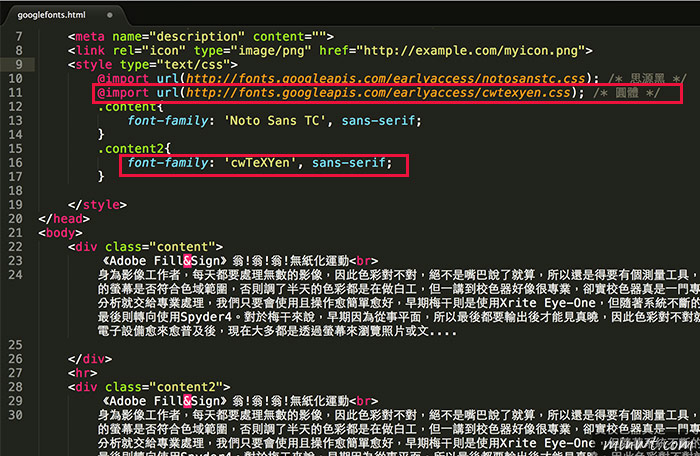
注意:用 @import 引入網路字型時,必須擺在css文件程式碼開始的第一行,不然字型會無效。